
pibot_cnc_laser_series:optical_endstop_v5:start
PIBOT ENDSTOP V5
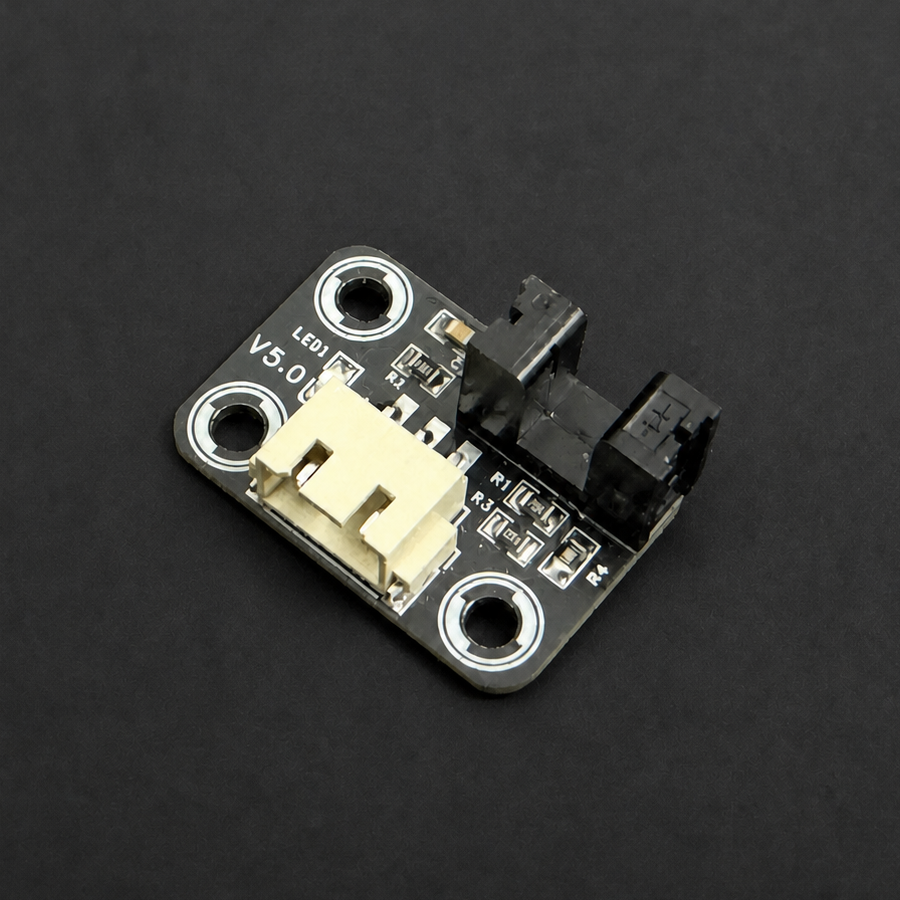
PiBot Optical Endstop V5
A compact 5 V slot-type optical sensor for repeatable homing and travel-limit detection without mechanical contact.
⚠️
Use 5 V only. Power off before connecting. Set the controller's SW-VCC selector to 5V, then match SIGNAL, GND and +5V exactly. Do not use the Vmot / 12–24 V position for this module.
1. Connect and test
SIGNAL→GND→+5V
1Power off
Choose the required limit input and set SW-VCC to 5 V where the controller provides that selector.
2Connect the cable
Follow the three labels above. Do not rely on cable color or connector appearance alone.
3Operate the sensor
Move a solid flag through the optical slot. The module LED and the selected input state should change, then return when clear.
2. Controller connection diagrams
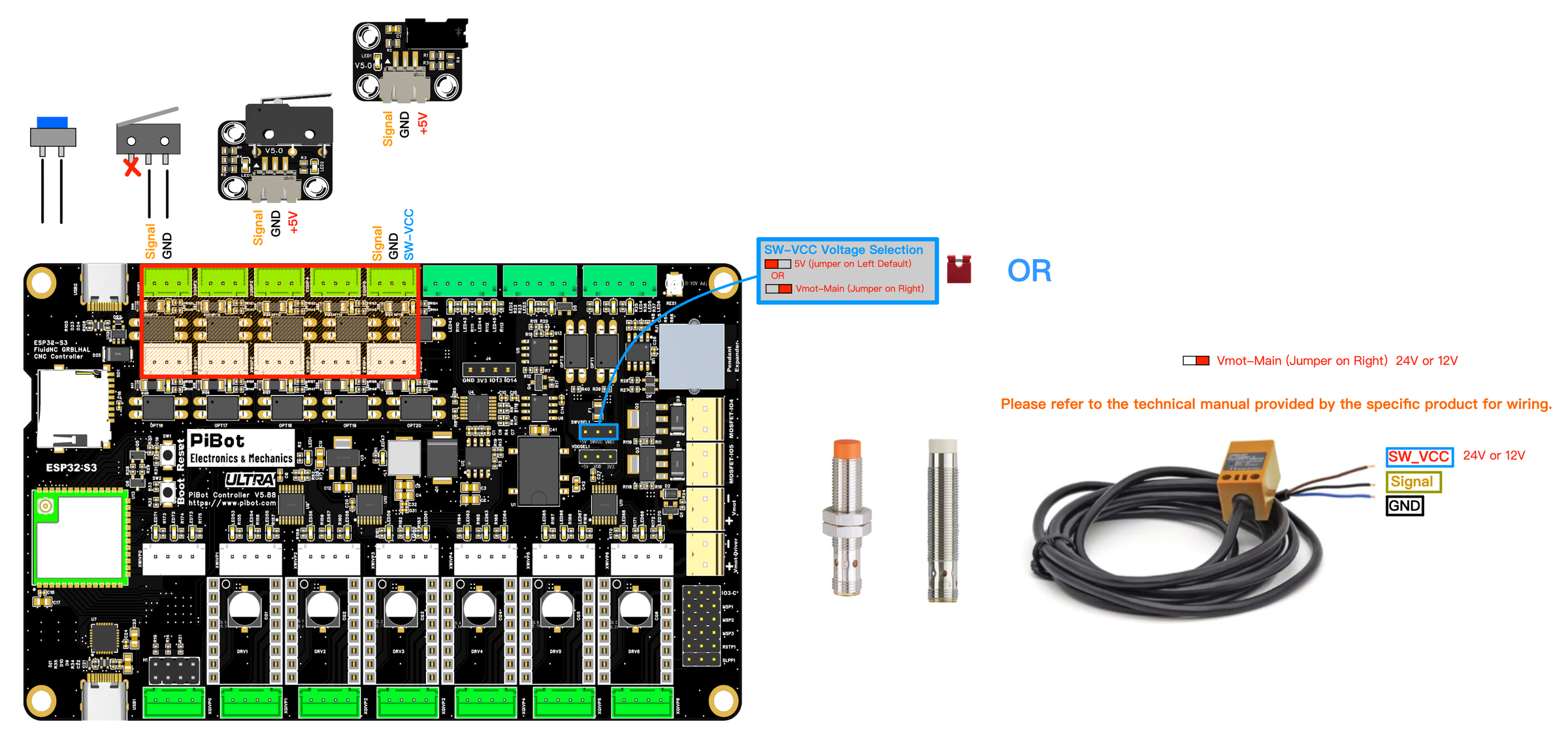
V5.88 UltraInput test →
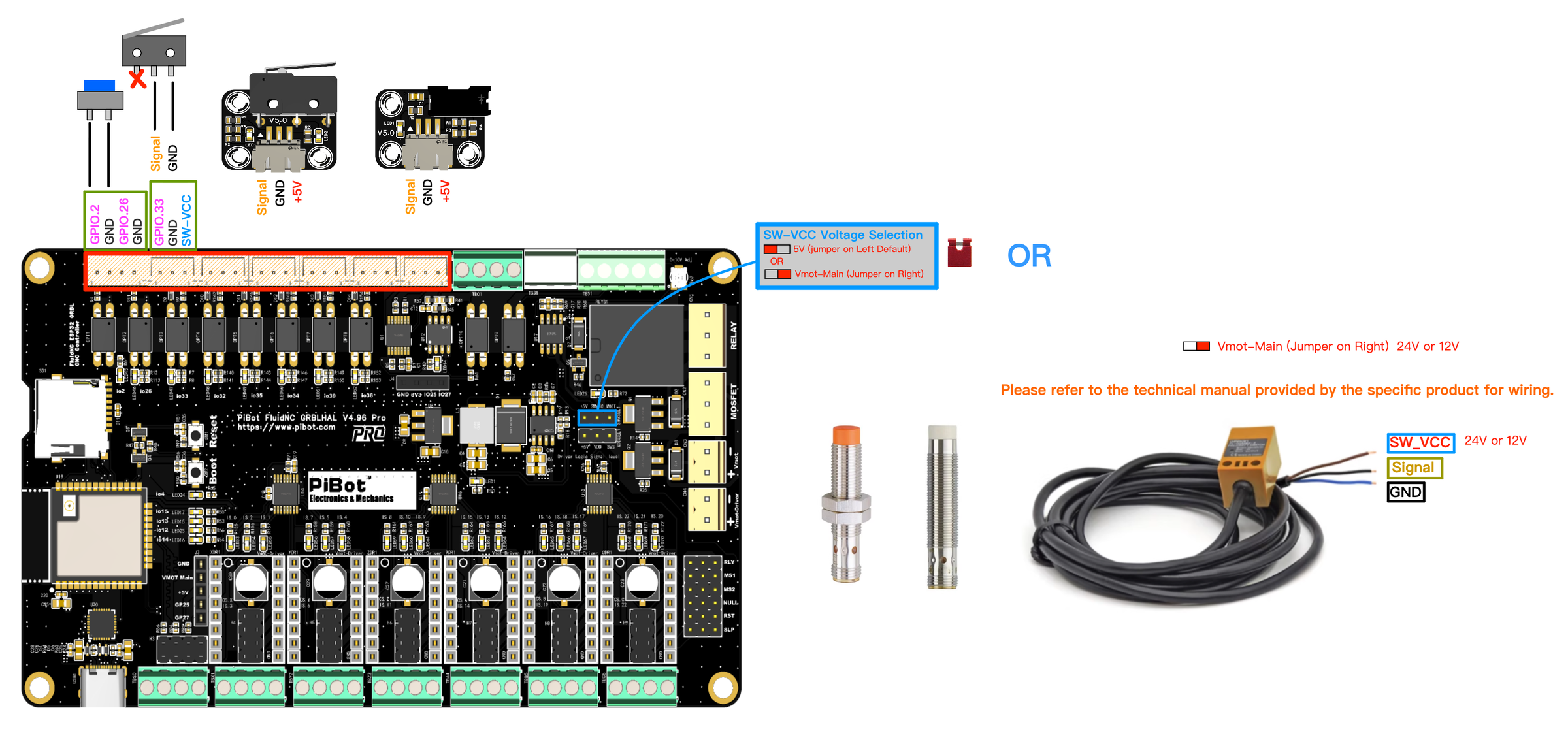
V4.96 ProLimit-input guide →

V5.77 CarrierLimit-input guide →

V4.7BLimit-input guide →
3. Size and downloads
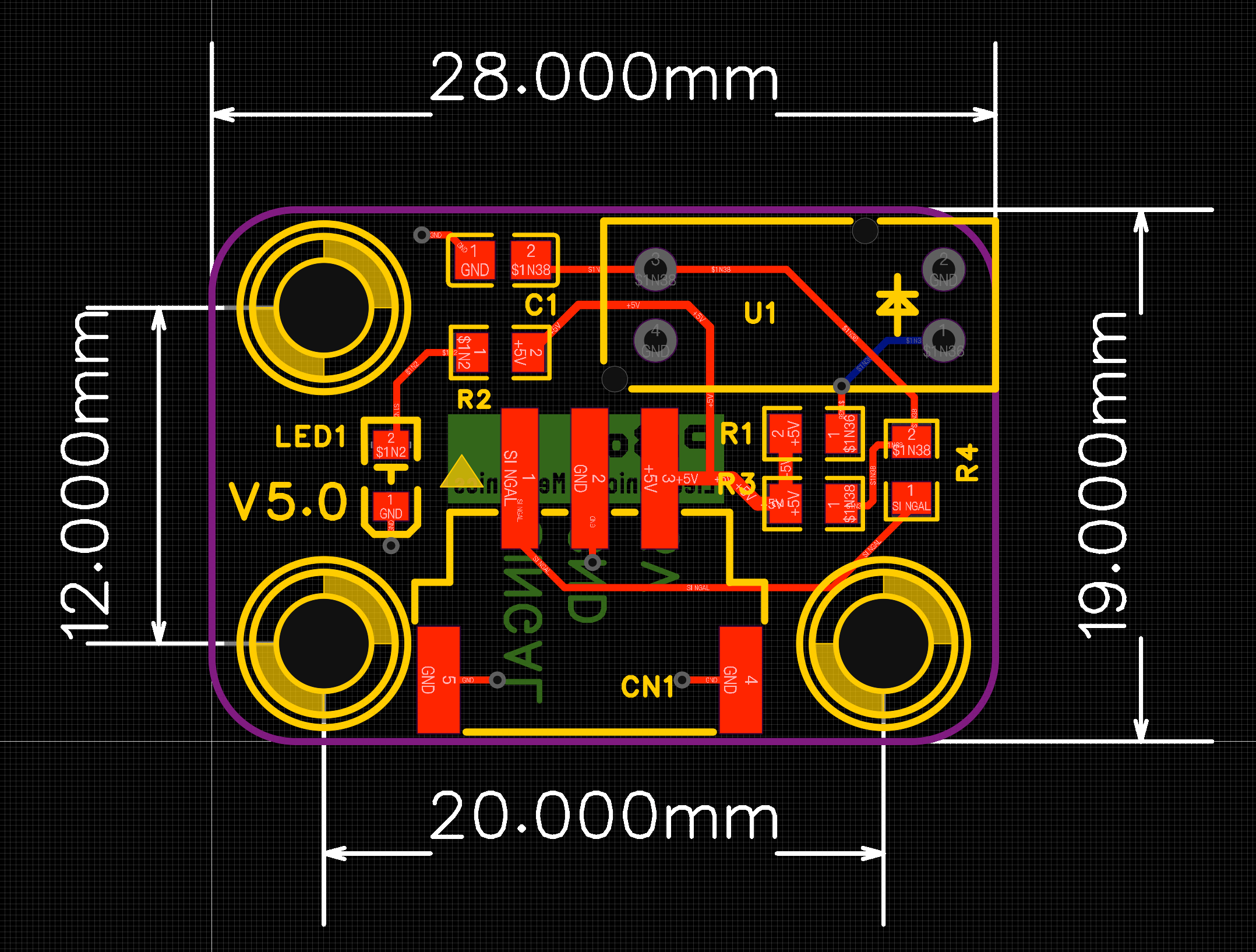
Board size28 × 22 mm
Mounting centers20 × 12 mm
Sensor typeSlot-type optical
Interface3-wire, 5 V
✓ PASSBlocking and clearing the slot changes only the selected controller input, and the state returns every time.
! If it does not respondPower off; confirm SW-VCC is at 5 V, verify SIGNAL/GND/+5V order, clean the slot, and check the matching firmware input/polarity.
pibot_cnc_laser_series/optical_endstop_v5/start.txt · Last modified: by 127.0.0.1