
pibot_cnc_laser_series:mechanical_endstop_v5:start
PIBOT ENDSTOP V5
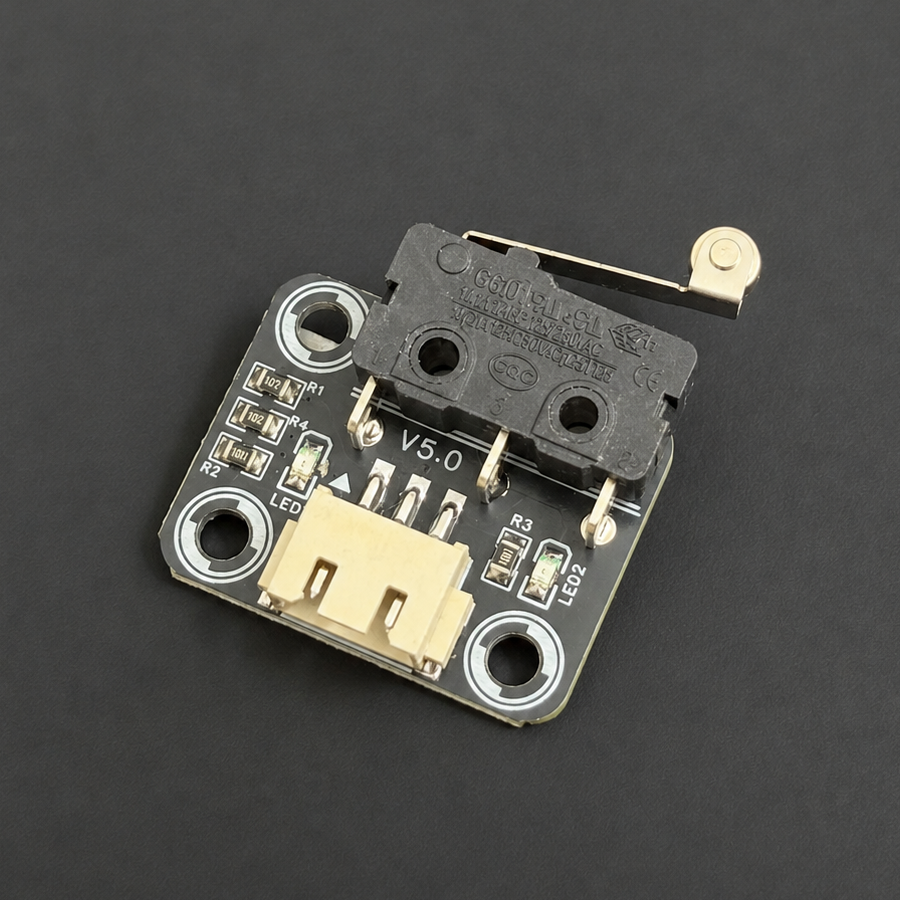
PiBot Mechanical Endstop V5
A compact roller-lever snap-action limit switch for homing and end-of-travel detection, with onboard power and trigger indication.
⚠️
Use 5 V only. Power off before connecting. Set the controller's SW-VCC selector to 5V, then match SIGNAL, GND and +5V exactly. Do not use the Vmot / 12–24 V position for this module.
1. Connect and test
SIGNAL→GND→+5V
1Power off
Choose the required limit input and set SW-VCC to 5 V where the controller provides that selector.
2Connect the cable
Follow the three labels above. The microswitch terminals are already handled by the module; use its 3-pin connector.
3Press and release
Move the roller lever by hand. The trigger LED and selected controller input should change, then return reliably when released.
2. Controller connection diagrams
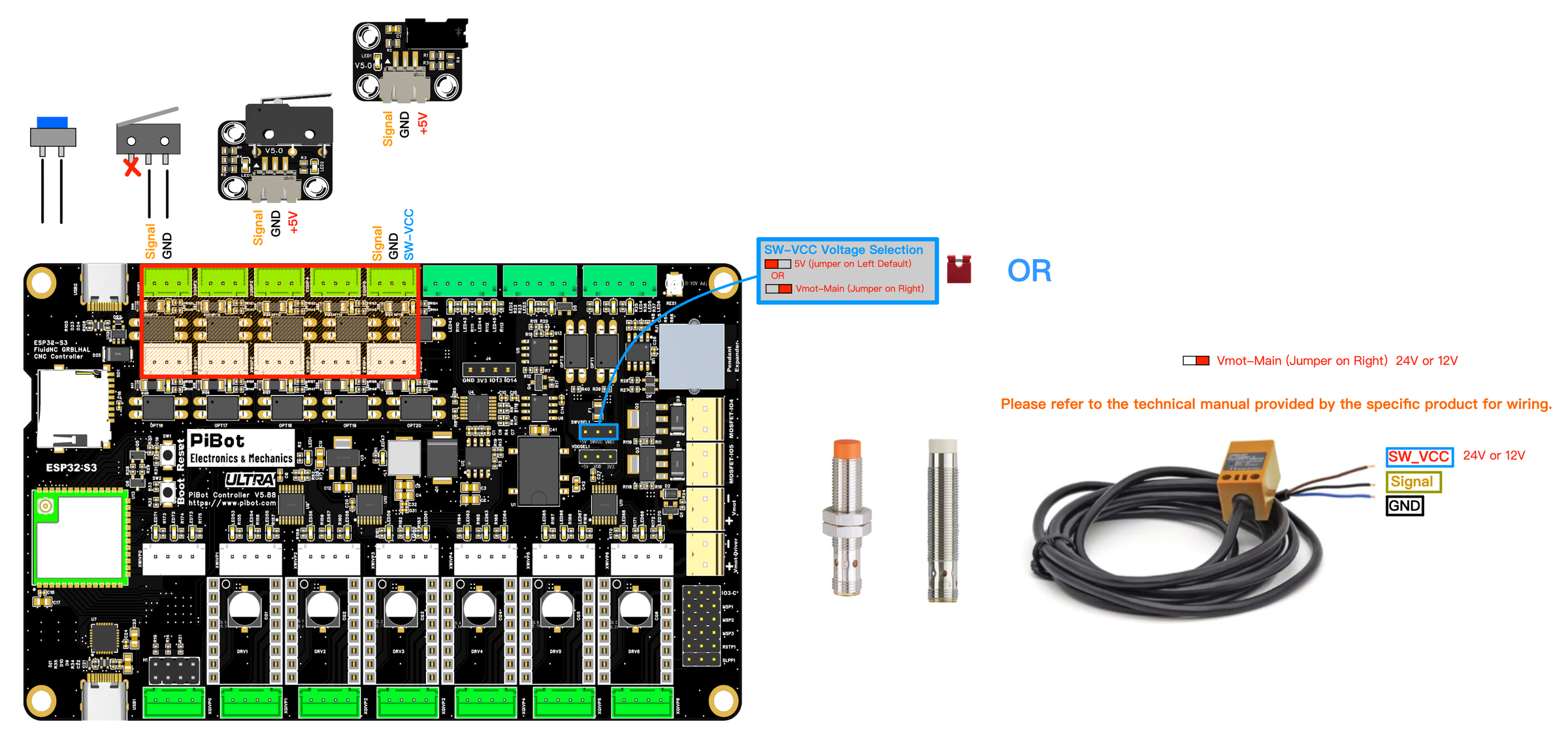
V5.88 UltraInput test →
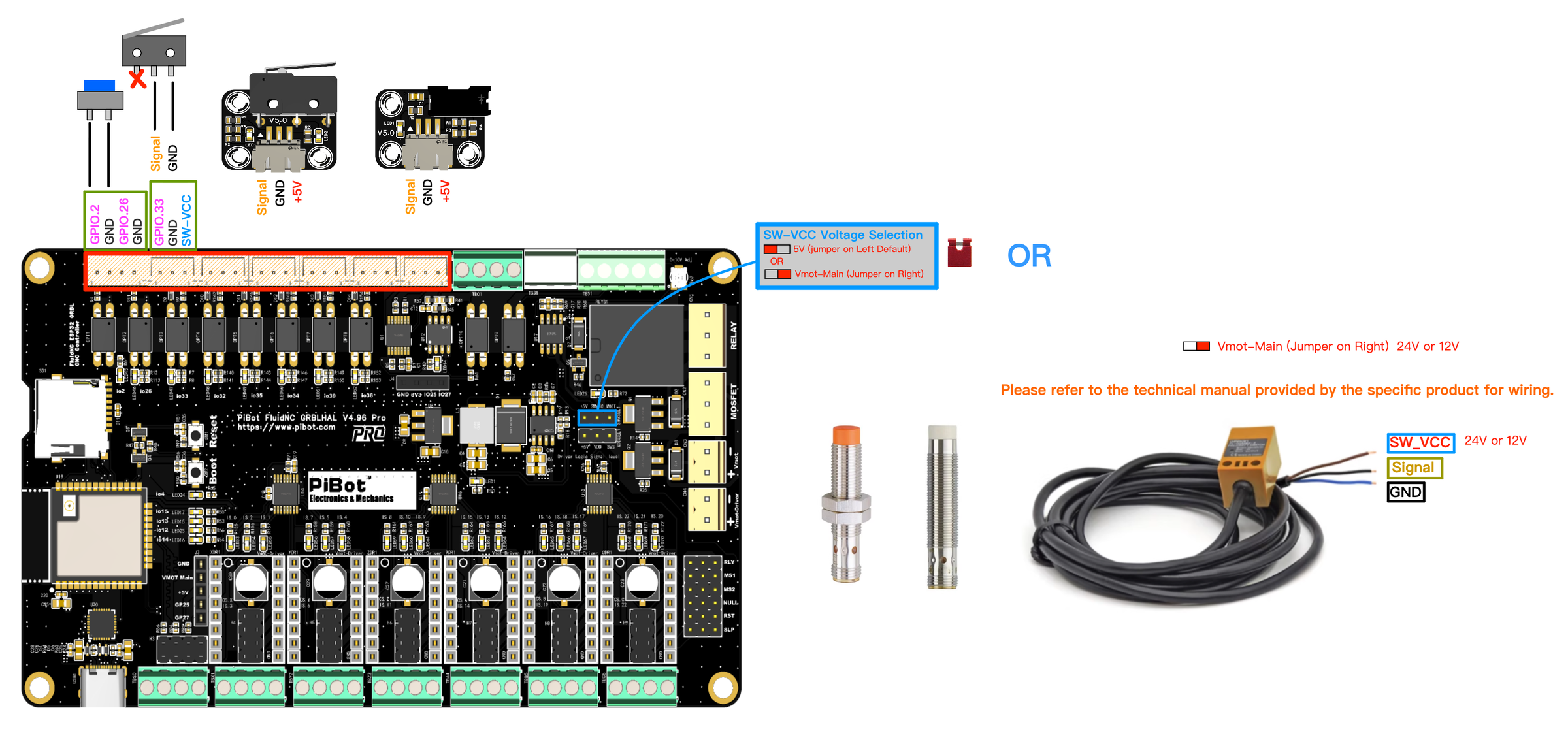
V4.96 ProLimit-input guide →

V5.77 CarrierLimit-input guide →

V4.7BLimit-input guide →
3. Size and downloads
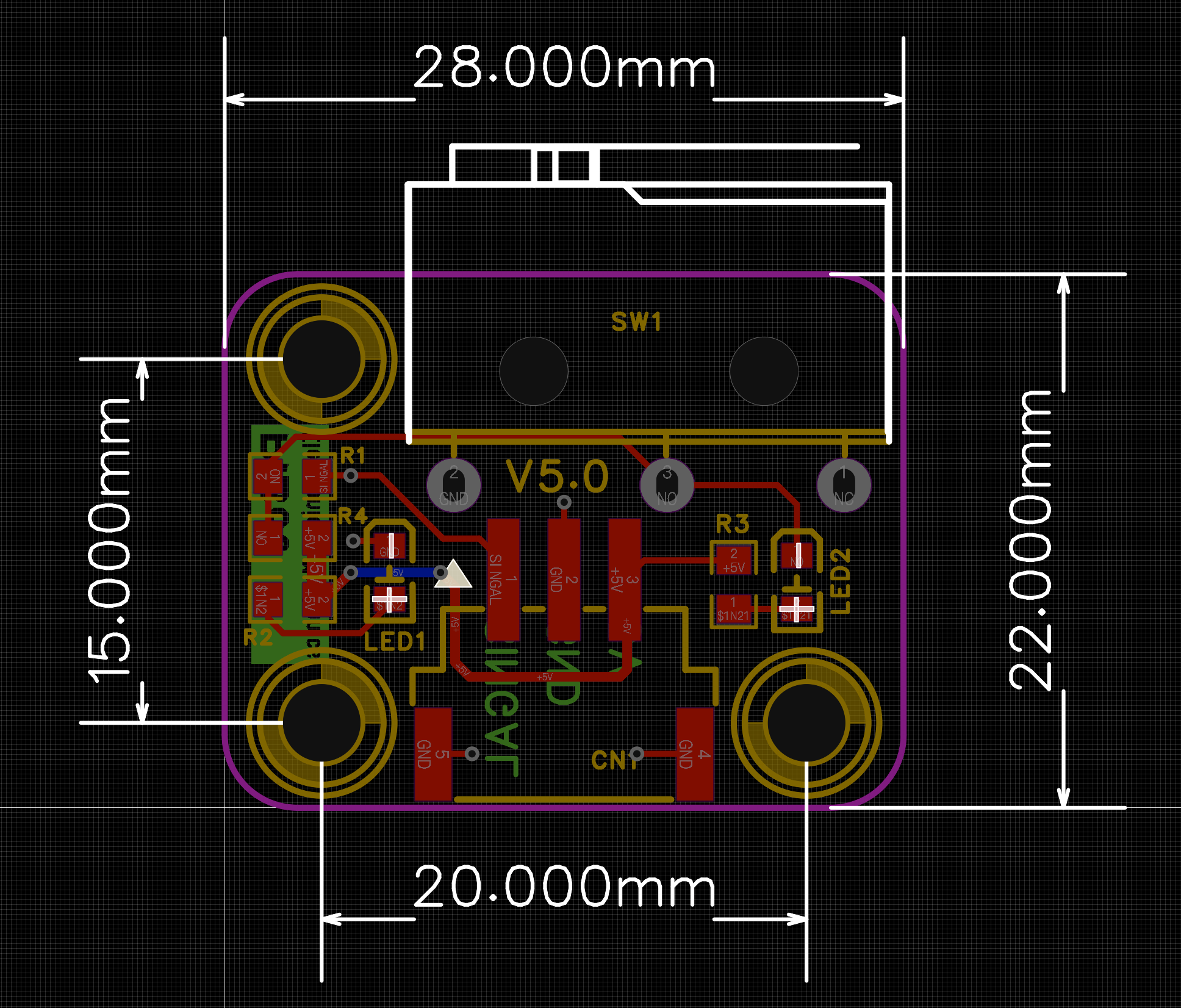
Board size28 × 22 mm
Mounting centers20 × 15 mm
Switch typeRoller-lever snap action
Interface3-wire, 5 V
✓ PASSPressing and releasing the lever changes only the selected controller input, and both the lever and input state return every time.
! If it does not respondPower off; confirm SW-VCC is at 5 V, verify SIGNAL/GND/+5V order, check lever travel, and confirm the matching firmware input/polarity.
pibot_cnc_laser_series/mechanical_endstop_v5/start.txt · Last modified: by 127.0.0.1